Maybe I’m an everyday voyeur, because I sure do enjoy seeing pics of people go about their business on Instagram (here’s me).
It’s interesting! Even the boring stuff, because it’s happening all over the world. Breakfast in Hong Kong, lunch in Toronto, drinks in New York. Every day I get to visit with people’s pets, accompany them on vacation, and indulge in cheat meals (without the calories, whee!). 🙂
I also get a kick out of seeing so many self-portraits, or selfies. Makes me feel like I’m right then and there.
As someone who’s taken her share of blurry selfies, I can tell you that a sharp, cool self-portrait isn’t always as easy as point and click, especially in bad lighting. You’d think it would be pretty simple, right? Just smile, point and click.
In a moving car with a camera phone? Uh, not exactly.
But we have tips! Here are some things you can do to take a fantastic selfie.
Double-check your hair and makeup
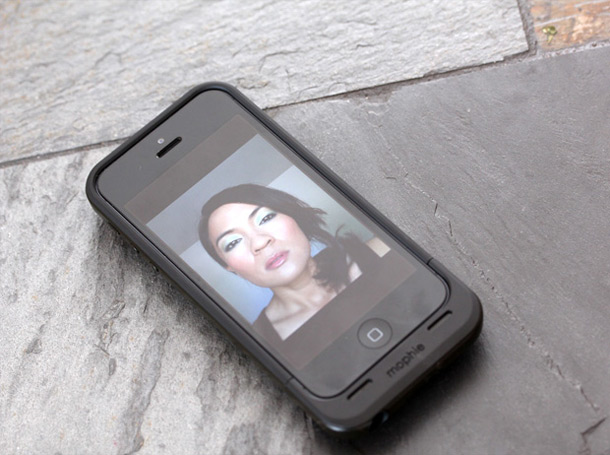
Before you actually take your selfie, hold your camera right out in front of your face, straight on, and snap a quick test shot of your hair and makeup.
I do this all the time, not just for selfies, but whenever I finish my makeup. Even better than a mirror, seeing a picture helps me tell if my brows, liner, blush and eyeshadow are even. A test shot can help you target areas that need fixing.
While you’re at it, glance at your clothes to make sure your bra straps aren’t peeking out or your collar’s wonky.
Choose a clear background

I remember reading an Us Weekly article at the salon a while back (my guilty pleasure!) about Tori Spelling’s husband posting a pic on Twitter with Tori’s naked breast in the background.
Not that you’re going to have boobs hanging out behind you in your selfie, but there’s a lesson here. Always check your background before you post pics.
Look for solid colors, like walls, to stand in front of, and de-clutter. Move laundry baskets and messy piles of books — anything you don’t want the world to see. For serious! I can’t tell you how many cute selfies I’ve seen with bras hanging in the background.
I try to find a nearby wall or textured curtains. Generally, the less cluttered your background, the better.
Don’t move a muscle

Do your iPhone pics always look blurry? It’s usually caused by camera shake, which happens when you tap the shutter button while the phone is moving. Even the slightest shake or wiggle can produce a blurry pic, especially in dim light.
Hold your phone as steady as possible. Here’s a trick I borrowed from sharp shooters…
Right before I press the shutter, I take a breathe, exhale and hold for a couple seconds. Very still. Then I tap the button.